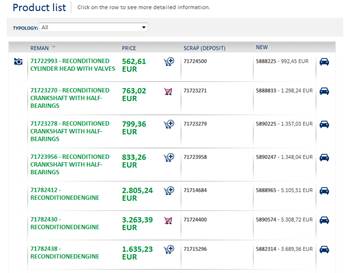
Selecting the category/type or searching opens an interface that shows the list of remanufactured parts:
Fig. 62 Remanufactured parts list
The list is filtered by the currently active filter.
Clicking the “REMAN”, “PRICE” and “SCRAP” column headings allows you to vary the order of the results.

Fig. 63 Sorting
Hovering the mouse pointer on the  icon (when present) displays a preview of the
remanufactured product image for the corresponding row:
icon (when present) displays a preview of the
remanufactured product image for the corresponding row:
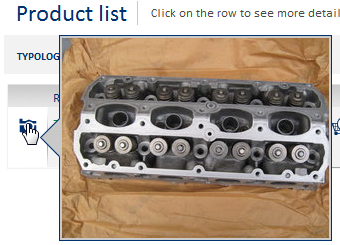
Fig. 64 Image preview
Clicking the  icon opens an interface showing the
possibility of applying the new codes associated to the remanufactured product:
icon opens an interface showing the
possibility of applying the new codes associated to the remanufactured product:
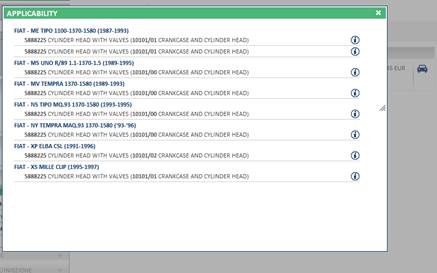
Fig. 65 Applicability
Hovering the mouse pointer on the  icon displays the validity pattern and any
modifications made:
icon displays the validity pattern and any
modifications made:
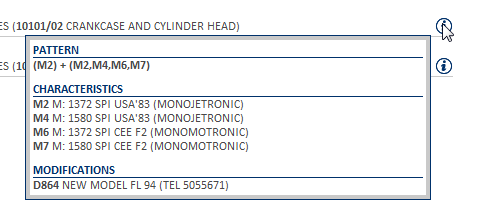
Fig. 66 Validity pattern
Clicking the  icon adds the
remanufactured code in the corresponding row to the trolley.
icon adds the
remanufactured code in the corresponding row to the trolley.
Clicking a row in the list opens the corresponding remanufactured part detail interface.
Clicking a new code or scrap opens a pop-up with the details of the product.